In this project I wanted to create a template based on the combat and mechanics found in souls-like games.
I did this by creating a modular and scalable framework which could be expanded with new enemies and weapons at a later point.
This project was originally created for a scripting assignment.
PROJECT DETAILS
Developed over 4 weeks, half time
Engine: Unreal Engine 5
Animations from “Paragon animations retargeted to Manny” on Fab
Horse and rider animations from “Horse Starter Kit” on Fab
OBJECTIVES
Make a game ready template
Learn more about modular systems
Create a responsive and fun combat system
GAMEPLAY
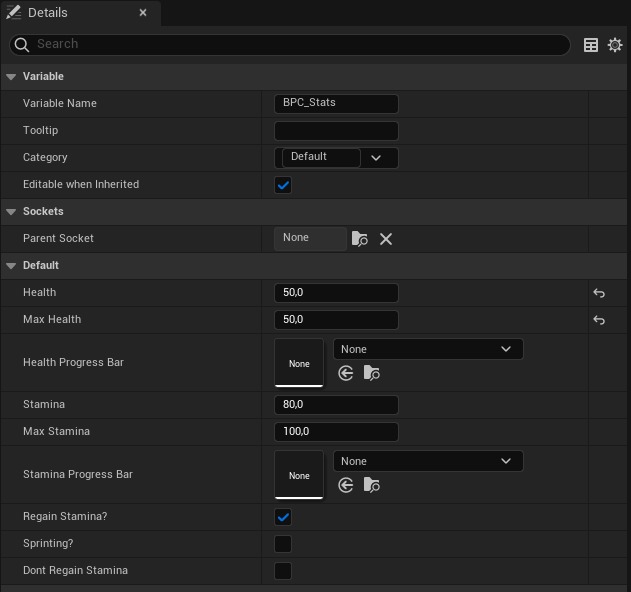
The core feature in most souls-like games is the combat. In order to make all aspects of the combat modular I worked with blueprint components that could be applied to both the player and the enemies. The values inside these components could then be changed for different enemy types independent of each other.
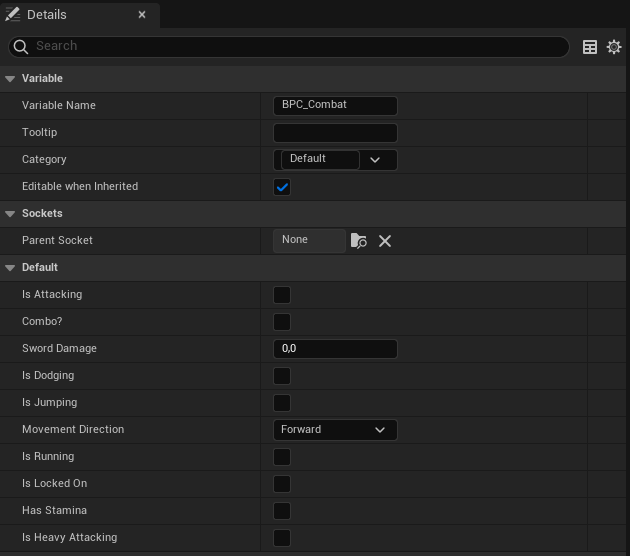
I also used a combat component specifically for the player in order to create a more structured blueprint. This way I could easily keep the player combat separated from other player actions.
The stats component which controlls the health and stamina of an entity
The combat component containing various combat actions. They can be used in the event graph to create different behaviors.
WEAPONS
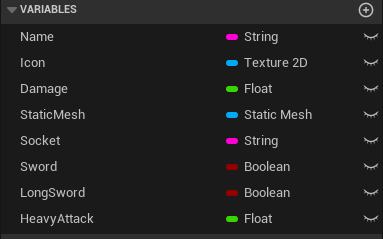
The weapons were created by using a data asset where I added the variables needed, such as a mesh reference and damage. These variables could then be changed when creating a new data asset using this parent class.
INPUT AND CONTROLS
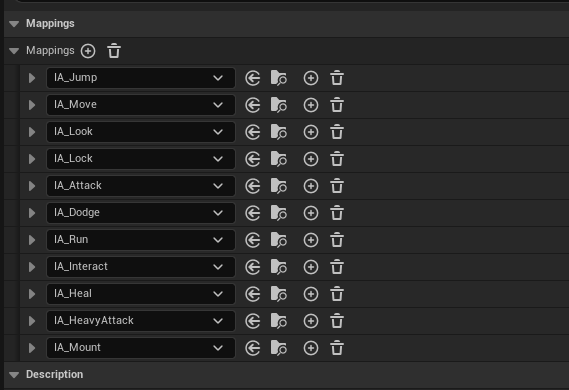
I used the advanced input action system in Unreal Engine to easily add supports for different actions.
I also added input mapping for a controller since that is often the intended way to play souls-like games.
LOCK ON SYSTEM
To hit the enemies with more precision I added a lock on system that makes the player face their target.
COMBAT
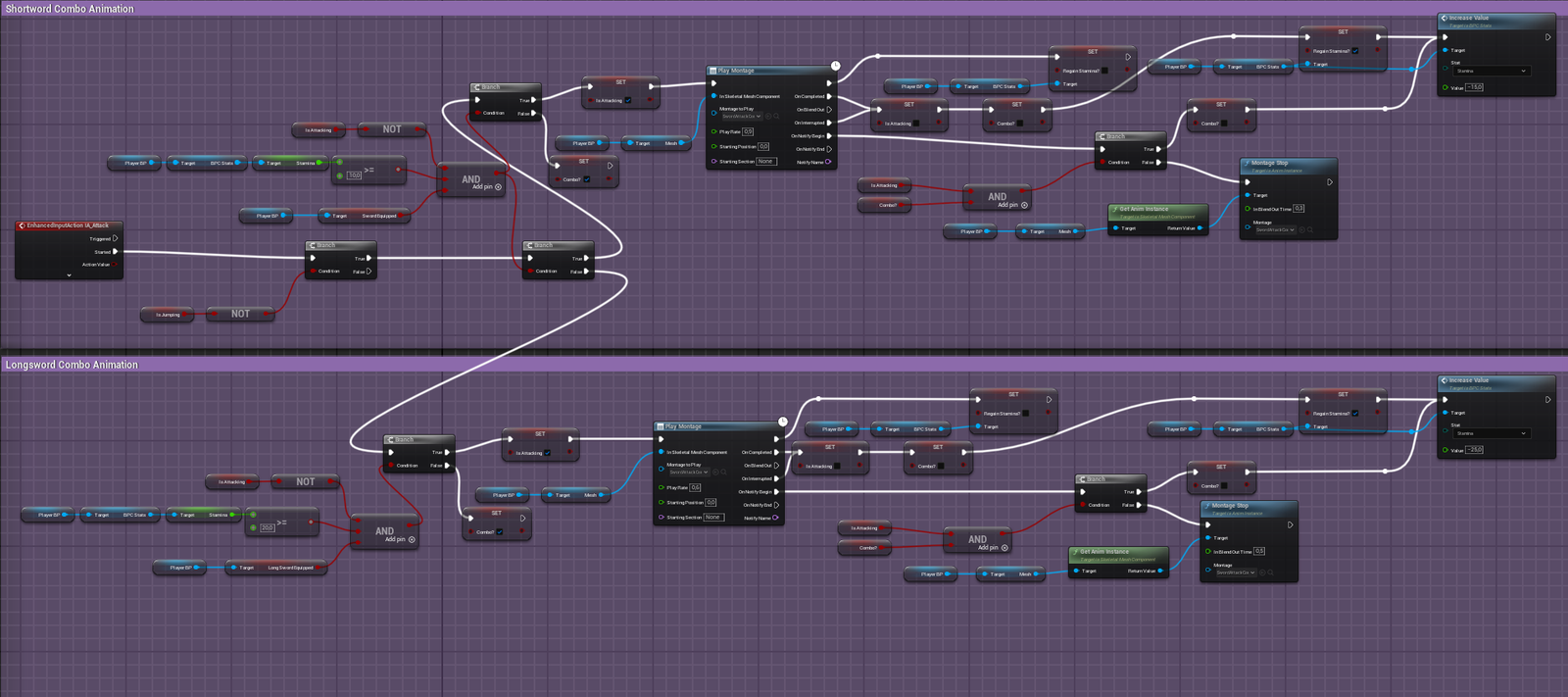
I added different kinds of attacks, a normal attack and a heavy attack that differs depending on which weapon the player is using. Along with the difference in animtions the weapons have different stamina consumption and damage as well.
The player can perform a dodge roll during which they are invincible in order to avoid attacks from enemies.
Basic weapon attack blueprint
LEVEL FUNCTIONALITY
INTERACTABLES
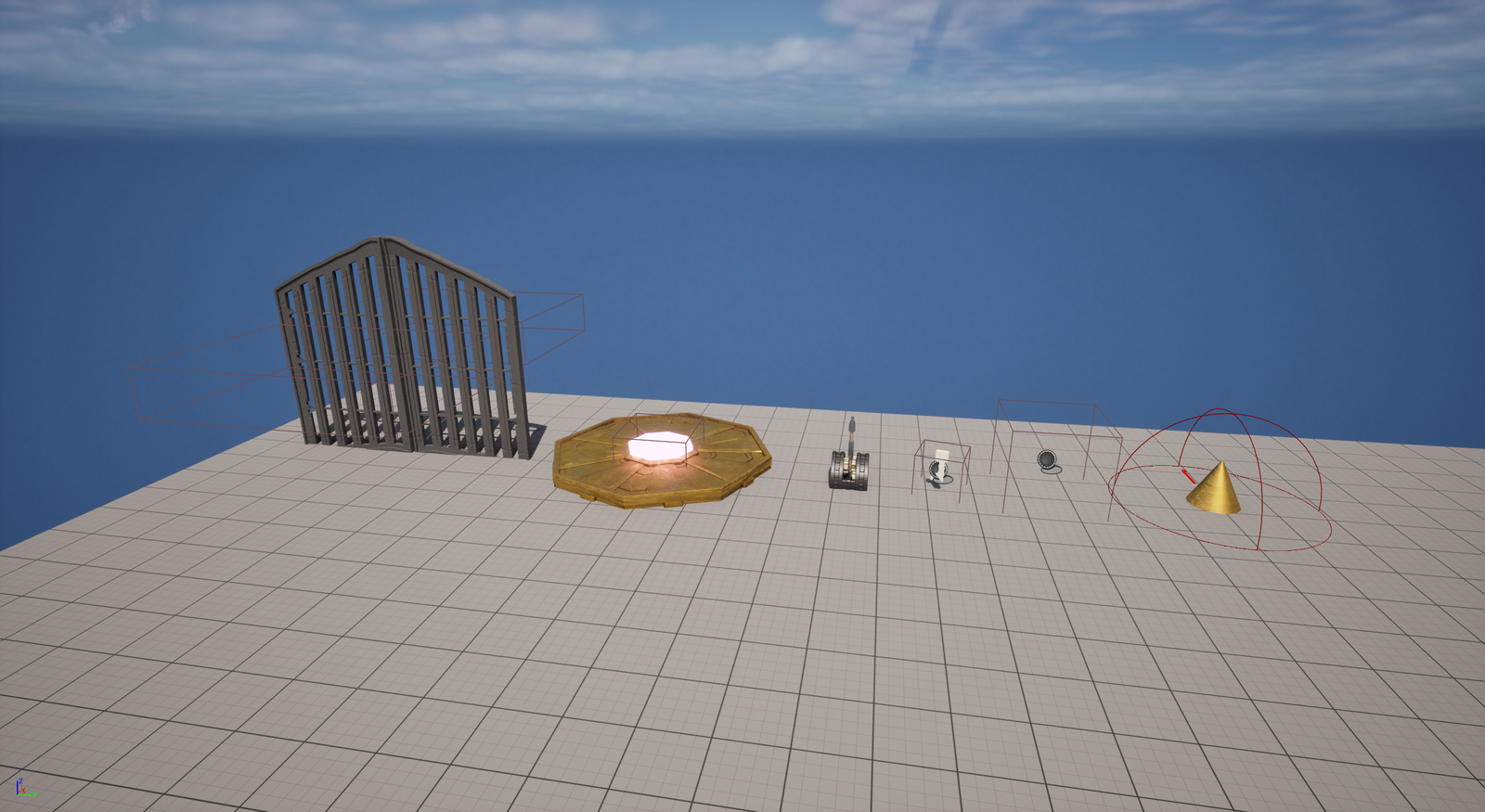
In addition to the player related mechanics I also added various interactable objects into the template. I included a modular gate with multiple states, such as only opening from one side or needing a key to open. I also added an elevator and a lever where the lever controls the elevator but the elevator also functions on its own.
Level functionality assets
WORLD RESET
A core feature in most souls-like games is that the world resets whenever the player dies or rests at a checkpoint.
I created a system where the starting position of all enemies is stored and whenever the world should reset, they are removed and then spawned back at these positions. If the enemy is a boss that has been killed it will not respawn.
The player’s respawn point is also set to the latest checkpoint they rested at. All health, healing items and stamina is also restored when resting.
Enemies respawning
FALL DAMAGE
Another prominent feature in souls-like games is that the player often is at risk of dying from fall damage or falling into an abyss with a death barrier. I implemented both fall damage and a collision that will kill the player if they fall through it as I feel like this is an important feature that somewhat dictates how a player approaches an area.
The player falling through a death barrier
MOUNT
As I wanted to use this template for an open world, I also decided to add an Elden Ring style mount, a horse that can be summoned anywhere. This made it easy for the player to traverse the world quickly and reach areas that would otherwise be unreachable on foot.
The mount
ANIMATIONS
In order to make the combat feel good I needed to add many animations for the different attacks, dodging and the normal movement.
To make the attacks feel responsive I used animation notifies to decide at which point in the animation they should deal damage and when to play sound effects.
I also set up a custom blend space for the player movement to change their movement depending on their speed and direction. This is especially noticeable in conjunction with the lock on system.
Animation notifies
Blend space
Animations for other actions such as healing or interacting with objects were also added in the same way for the actions to feel responsive. I tried to find a balance between the animations feeling heavy and deliberate and them feeling controlled and snappy.
Pick up animation
ENEMIES & NPCs
MODULAR ENEMIES
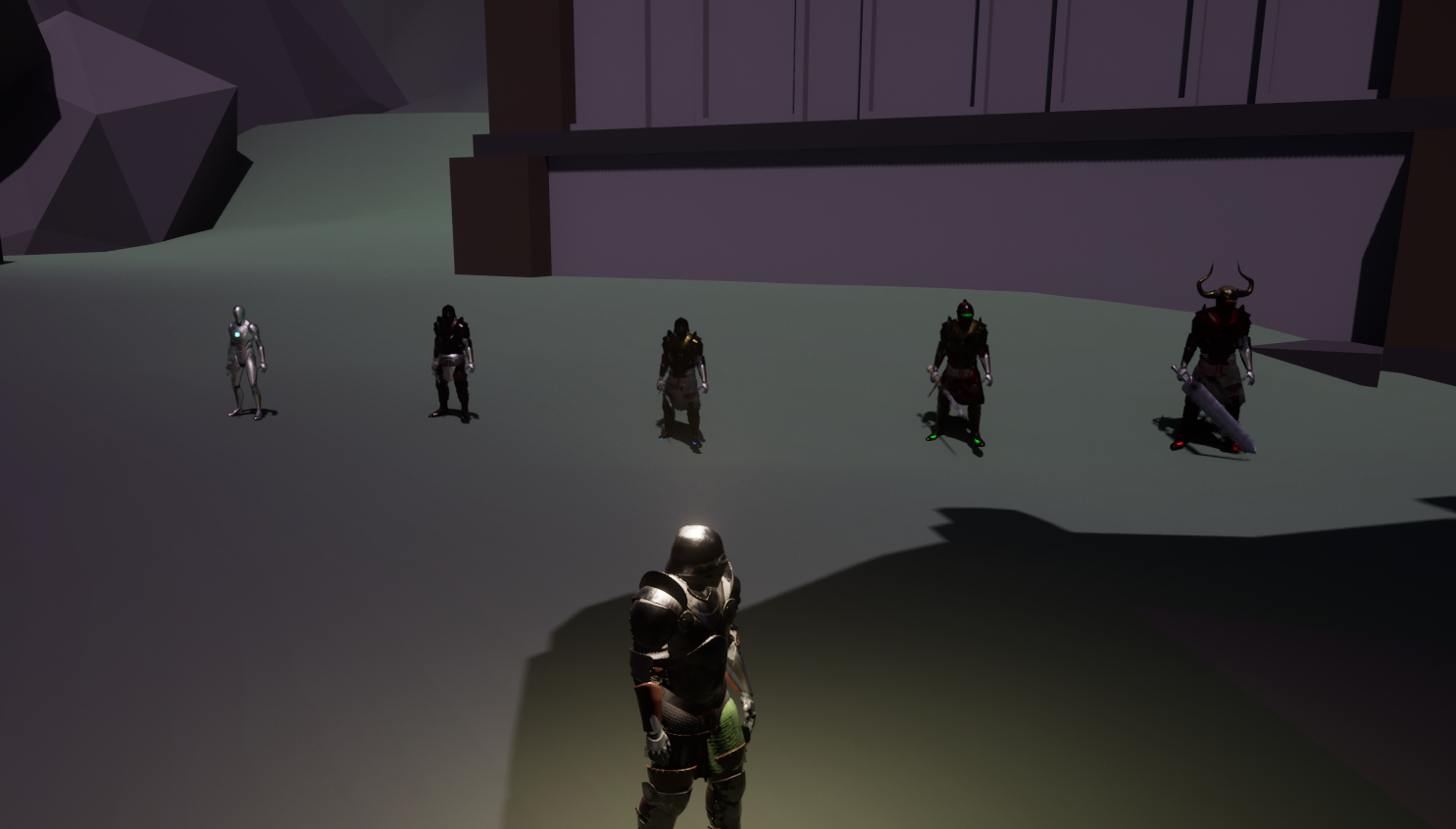
When making the enemies I decided to create a parent class as the base for all the enemies. It included the important functions, such as dealing and taking damage. I would then create children using the parent class and change the health and damage values accordingly using the blueprint component mentioned previously.
I also created dynamic spawners for the enemies that I could place out in the world and then select an enemy type from the ones I had created. This made it easy to test which type of enemy I wanted to place at certain locations and aids in future implementation of new enemies.
The different enemies
BEHAVIOR TREES
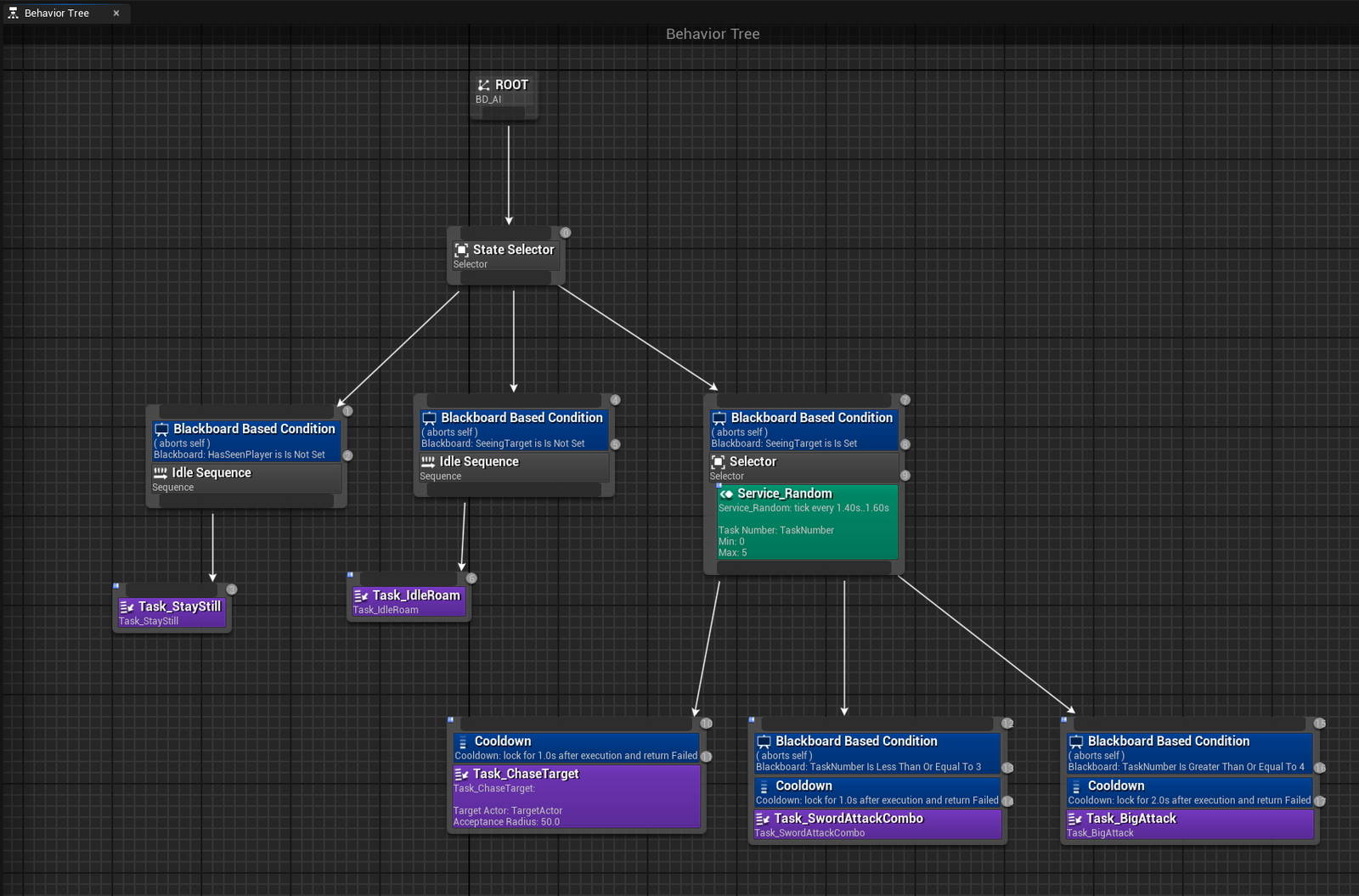
The enemies are controlled by behavior trees, where basic enemies have one kind of behavior and the bosses have a more advanced tree. Each enemy has an idle behavior, a chasing behavior and a combat behavior.
To randomize which attack the enemies make I created a custom service that generates a random number each second. Depending on which number is currently active the enemies will do a different attack
Basic enemy behavior tree
Boss behavior tree
When fighting a boss I made a script that spawns a fog wall on the entrance and exit to the boss arena in order to trap the player inside. When the boss is defeated the wall will disappear and let the player continue in the level.
Fog Wall
NPCSs
I wanted a clear way to give the player instructions and quests when exploring the world, so I decided to create NPCs with custom dialogue.
Dialogue lines can be added to the NPCs freely through a customizable text array. When the player then interacts with the NPC in game the dialogue will appear in order and also disappear if the player moves too far away.
Custom text and interaction
CLOSING THOUGHTS
Due to the limited time I’ve had to work on this template there are a few points of improvement I would like to make were I to pick it up again.
First I believe that the combat could be a lot better. I would have solved this by adding different weapon classes with unique move sets and added more kinds of enemies.
About the enemies, I noticed that the lack of ranged enemies made many combat encounters easier than intended. I feel like having ranged enemies would have added a lot of well needed strategic thinking to the combat encounters.
I would have liked to also make the enemy behavior a bit more advanced, such as adding more attacks and making the movements a bit smoother. I would also have liked to introduce proper NPC quests with rewards.
I am however very satisfied with how this turned out. It wasn’t an easy project but it was a lot of fun to create something that I’ve been wanting to make for a long time. I have definitely learned a lot about creating an advanced modular system and it’s been an extremely valuable experience!